Before this project I was familiar with 3D scene rendering utilizing model, view and projection matrices, and Phong shading for lighting. However in this project, I extended my knowledge of OpenGL by venturing into post processing and off screen rendering.
In this example, a cube is rendered on the main framebuffer where each projection of the armadillo is a 2D texture generated by another off screen framebuffer. Each off screen framebuffer contains its own 3D scene (geometries and shader programs) to which the main framebuffer binds to the off screen framebuffer’s color buffer. Finally, post processing is applied by utilizing a post process framebuffer that applies a post processing effect to a 2D texture creating another 2D texture.
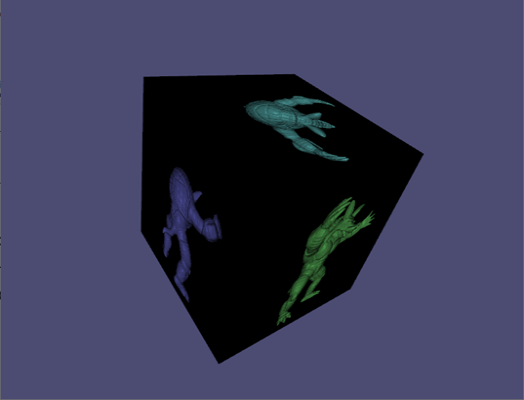
Off Screen Rendering
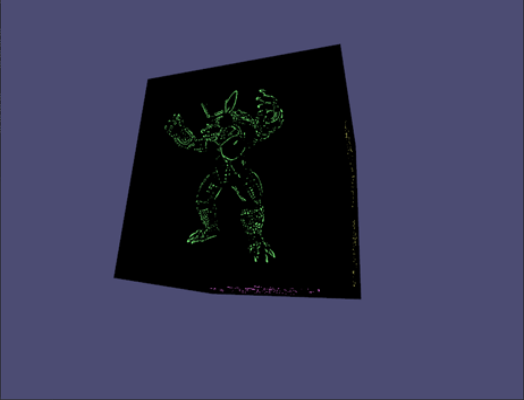
Edge Detection
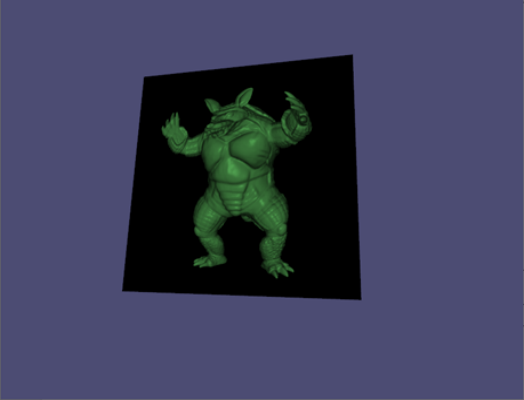
Barrel Distortion
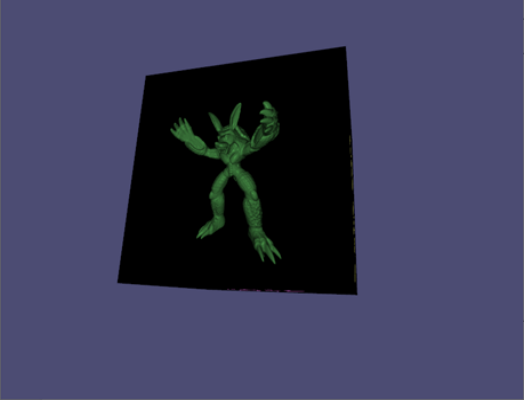
Pincushion Distortion
Edge Detection
Edges are detected by applying a Difference of Gaussian (DoG) filter to the fragment shader. The DoG is a 2D convolutional operation that represents taking the difference of two gaussian blurred images at two different scales. A 3x3 kernel can be approximated by the following:
float kernel[9] = float[](
   -0.018,  0.013, -0.018
    0.013,  0.020,  0.013
   -0.018,  0.013, -0.018
);
The reason why this can detect edges is because the kernel sums to 0. An image patch that has constant intensity convolved with this kernel will also have an intensity 0. Once the image patch has varying intensities, then the result will deviate away from 0. At this point, it is important to have a threshold to determine how much deviance from 0 constitutes for an edge.
vec4 apply_threshold(vec3 color, float threshold) {
    float intensity = (color.r + color.g + color.b) / 3.0;
    return intensity > threshold ? vec4(1.0, 1.0, 1.0, 1.0) : vec4(0.0, 0.0, 0.0, 1.0);
}
The DoG is computed using the following expressions:
// Gaussian Kernel G1 (σ = 1.0)
[ 0.075, 0.124, 0.075 ]
[ 0.124, 0.204, 0.124 ]
[ 0.075, 0.124, 0.075 ]

// Gaussian Kernel G2 (σ = 1.6)
[ 0.093, 0.111, 0.093 ]
[ 0.111, 0.184, 0.111 ]
[ 0.093, 0.111, 0.093 ]

// DoG = G1 - G2
[ 0.075, 0.124, 0.075 ]   [ 0.093, 0.111, 0.093 ]   [ -0.018,  0.013, -0.018 ]
[ 0.124, 0.204, 0.124 ] - [ 0.111, 0.184, 0.111 ] = [  0.013,  0.020,  0.013 ]
[ 0.075, 0.124, 0.075 ]   [ 0.093, 0.111, 0.093 ]   [ -0.018,  0.013, -0.018 ]
Challenges
- The main challenge that I faced was the texture scaling between the off-screen buffer and the cube main buffer. My solution to this was to match the off-screen framebuffer aspect ratio with the aspect ratio of the cube faces and set the glViewport(…) accordingly for each framebuffer binding instead of computing a texture scale matrix.
Notes for Improvement
- Model-View-Projection matrices can be computed ahead of time and passed to the vertex shader instead of wasting resources to compute for every vertex.
- The 6 cube faces could be one resource collection (vertex attribute object, vertex buffer object) with offsets instead of 6 resource collections (instanced rendering).
- One framebuffer and texture can be used for all cube faces, they will need to be bound and computed for each draw call for the cube face. This would be a consideration if we are bound by GPU memory.
- I have a 1:1 mapping of the off-screen buffer’s color attachment and the post processing off-screen buffer’s color attachment. In total there are 12 textures allocated but it can be done with less if the frame code is reorganized as highlighted in the previous point.
- For instances where the scene geometry’s vertex count is less than the number of fragments to be computed, it may be better to utilize barrel distortion on the vertex or geometry shader instead of the fragment shader.